How to filter user swimlanes by Plan range on the Planningboard
TABLE OF CONTENTS
Introduction
When user-based swimlanes are derived from Team Assignments and nextedy.planningboard.activeTeamAssignmentsOnly=true is enabled, Planningboard now shows only users with Team Assignments overlapping the time range covered by the currently displayed Plans.
Users with assignments only outside the shown Plans (only past or only future relative to the displayed scope) are hidden.
This can help to focus only on currently active data and make the work with the Planningboard easier.
This functionality is available and can be enabled starting with version 25.12.0
How to enable this functionality
To enable this behavior, go to Polarion Administration - Configuration Properties:
nextedy.planningboard.activeTeamAssignmentsInPlanRangeOnly=trueOnce enabled, the resources with no Team Assignments in the range of the shown Plans are no longer shown on the Planningboard.
If these resources had any tasks assigned to them, they would be shown under the "Not Assigned/Other" swimlane.
Tip: In case the property doesn't get applied, make any change in the Config Properies and save it again.
Required data structure
- Project with configured Teams & Team Assignments;
- Planningboard with user-based swimlanes that are derived from Team Assignments;
Example
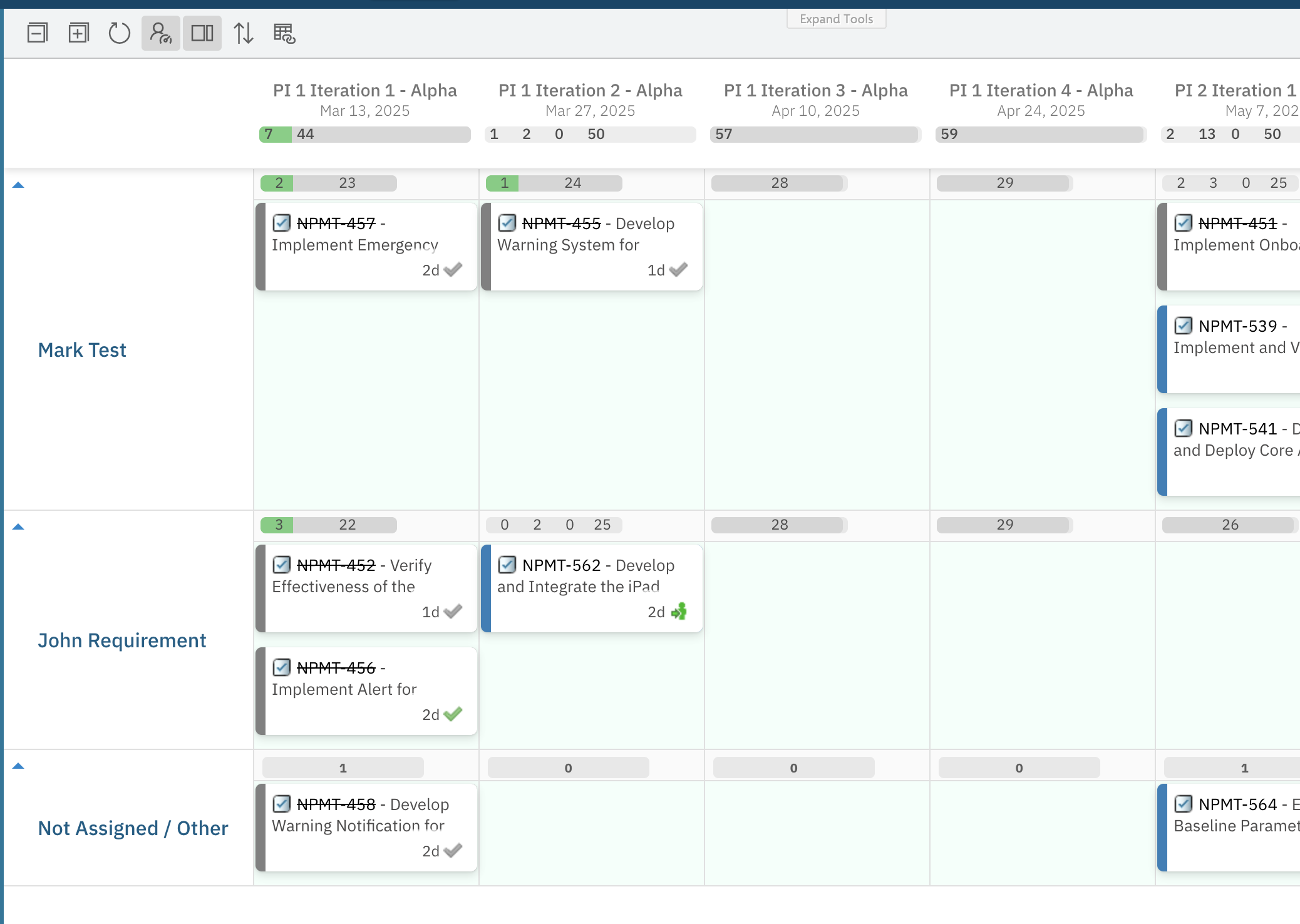
We have a Planningboard that shows tasks planned for a few iterations for members of Team Alpha.
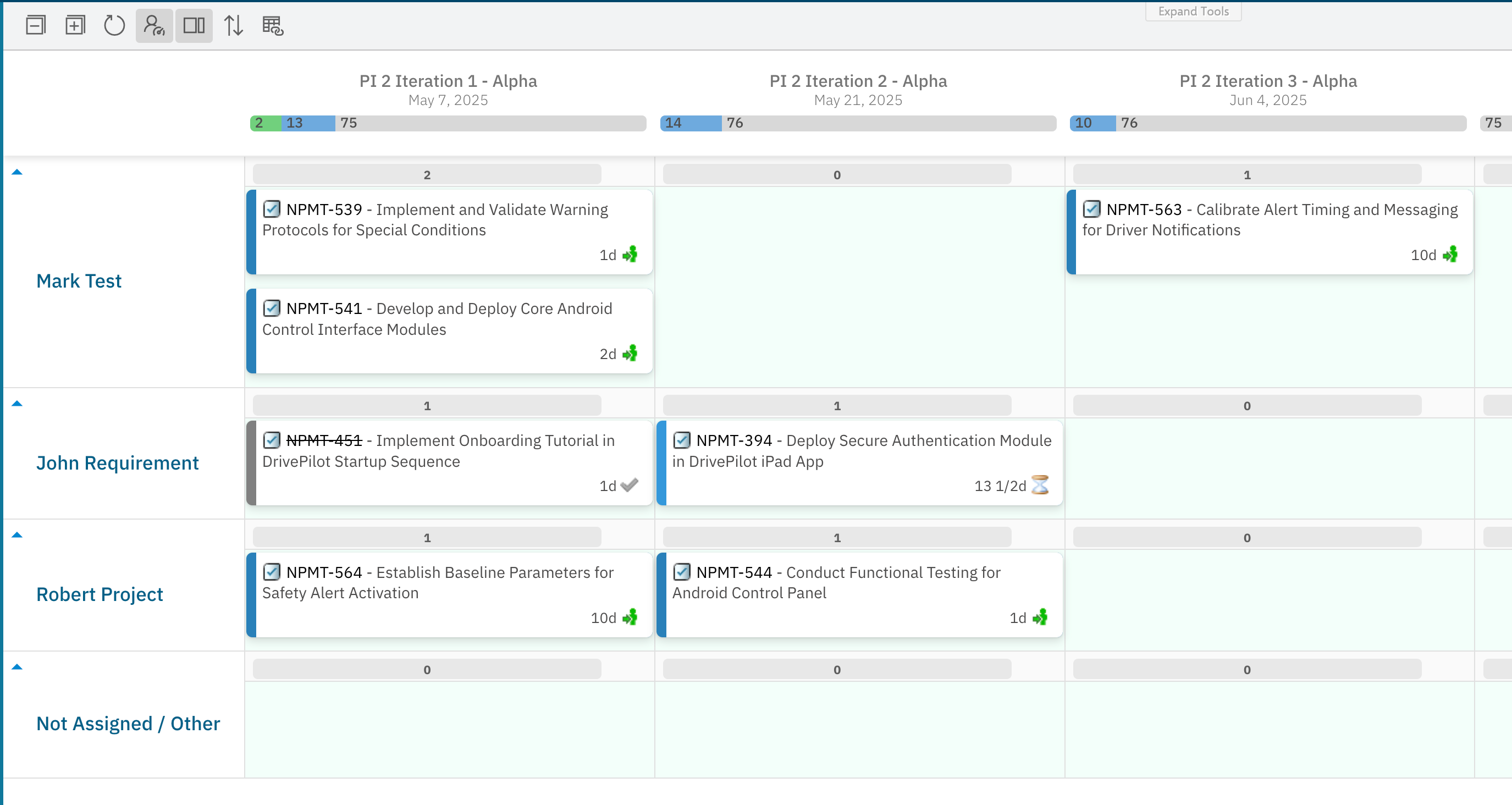
However, Mark Test doesn't have any Team Assignments for the time range of the Plans that are currently shown on the Planningboard.
This means that we don't want to plan any item for him unless he has at least some capacity for that Team in the timeframe of the shown plans.
We enable the new functionality through the Configuration Properties that allows us to show only the team assignments in the shown plan range:
nextedy.planningboard.activeTeamAssignmentsInPlanRangeOnly=trueOnce enabled, we can see that Mark Test is no longer shown on the Planningboard and his tasks got moved to the last row.
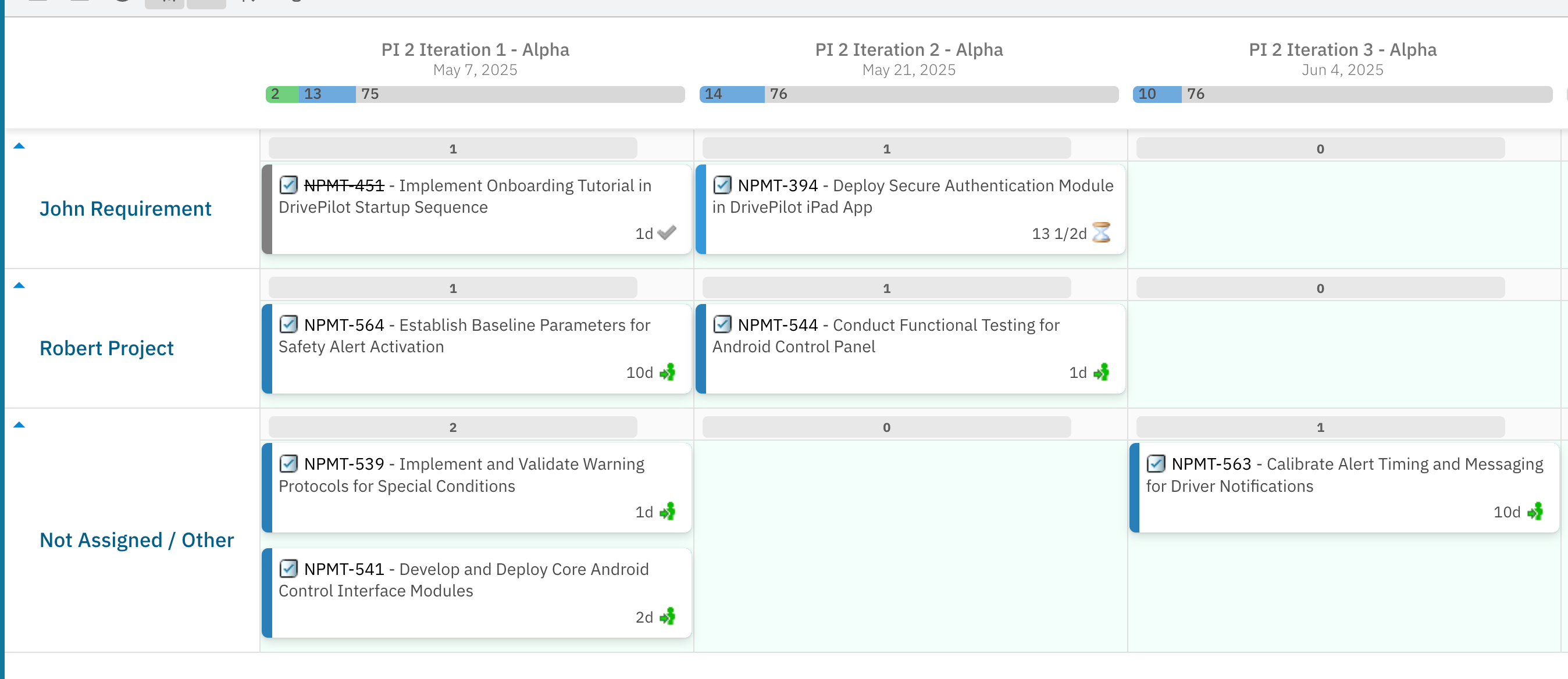
In the end, this would ensure that in case something is planned for a user who has no assigned capacity, this task is unlikely to be completed by that person and therefore shall be reassigned to someone else or planned to the time when that resource has some assigned capacity.
[Deprecated] alternative solution:
The first version of this solution focused only on hiding the Team Assignments that are in the past, but was fully independent of the scope of the shown Plans.
It was introduced in version 25.3.0 and deprecated in version 25.12.0
nextedy.planningboard.activeTeamAssignmentsOnly=true
Conclusion
This way, we can have a view of the Planningboard, where you can focus only on active Team Assignments in the specified Plans timeframe.
This allows users to have a nice and clean structure of the page and schedule items easily.
For any assistance, please don’t hesitate to reach out by submitting a ticket here.
Was this article helpful?
That’s Great!
Thank you for your feedback
Sorry! We couldn't be helpful
Thank you for your feedback
Feedback sent
We appreciate your effort and will try to fix the article