Here are some script examples that you may find useful
TABLE OF CONTENTS
- 1. Hide items from specific Category:
- 2. Hide the Markers box and keep only the line:
- 3. Make unscheduled WIs last as long as Plan they are Planned:
- 4. Skip WIs planned in a specific Plan from being counted on the Resource View (in task.load)
1. Hide items from specific Category:
Put the following code into the Item Script:
var cats = wi.getCategories().iterator();
while(cats.hasNext()){
 var cat = cats.next();
 if(cat.getId().equals("administration")){
       task.hide=true;
   }
}
As the Category is a collection of multiple items (one WI can have multiple Categories selected) it is needed to iterate through all of them.
2. Hide the Markers box and keep only the line:
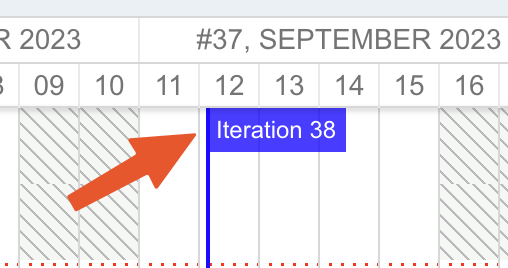
- Open Gantt Parameters -> Advanced -> Maximize Gantt View -> No;
- Add Script-Block widget to the page with the Gantt;
- Put the following code there:
<style>
.gantt_marker_content{
display:none;
}
</style>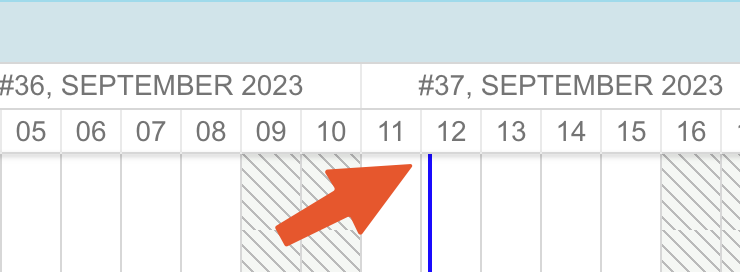
3. Make unscheduled WIs last as long as Plan they are Planned in:
If you want some WIs to last as your plan, it can be done via the script below:
However, note that it works only with still not scheduled items (which don't have start/end dates)
if(wi.getType().getId() === "workpackage"){


  var plans = wi.getPlannedIn().iterator();
  while(plans.hasNext()){
     var plan = plans.next();
     if(plan.getTemplate().getId()==="iteration"){
        task.getFields().put("iteration",plan.getName());
        if(task.unplanned){
            task.start_date=util.getDate(plan, "startDate");
            task.end_date=util.getDate(plan, "dueDate");
            task.duration=null;
            task.unplanned=false;
         }
     }
  }
}
4. Skip WIs planned in a specific Plan from being counted on the Resource View (in task.load)
Add Item Script in Gantt Plans:
if(wi){
// Exclude all Work Items planned in iteration "Iteration_40"
var plannedIn = wi.getPlannedIn();

if (plannedIn != null) {
    for (var i = 0; i < plannedIn.length; i++) {
        var plan = plannedIn[i];
        if (plan.getId() === "Iteration_40") {
            task.load = 0;
            break;
        }
    }
}
}
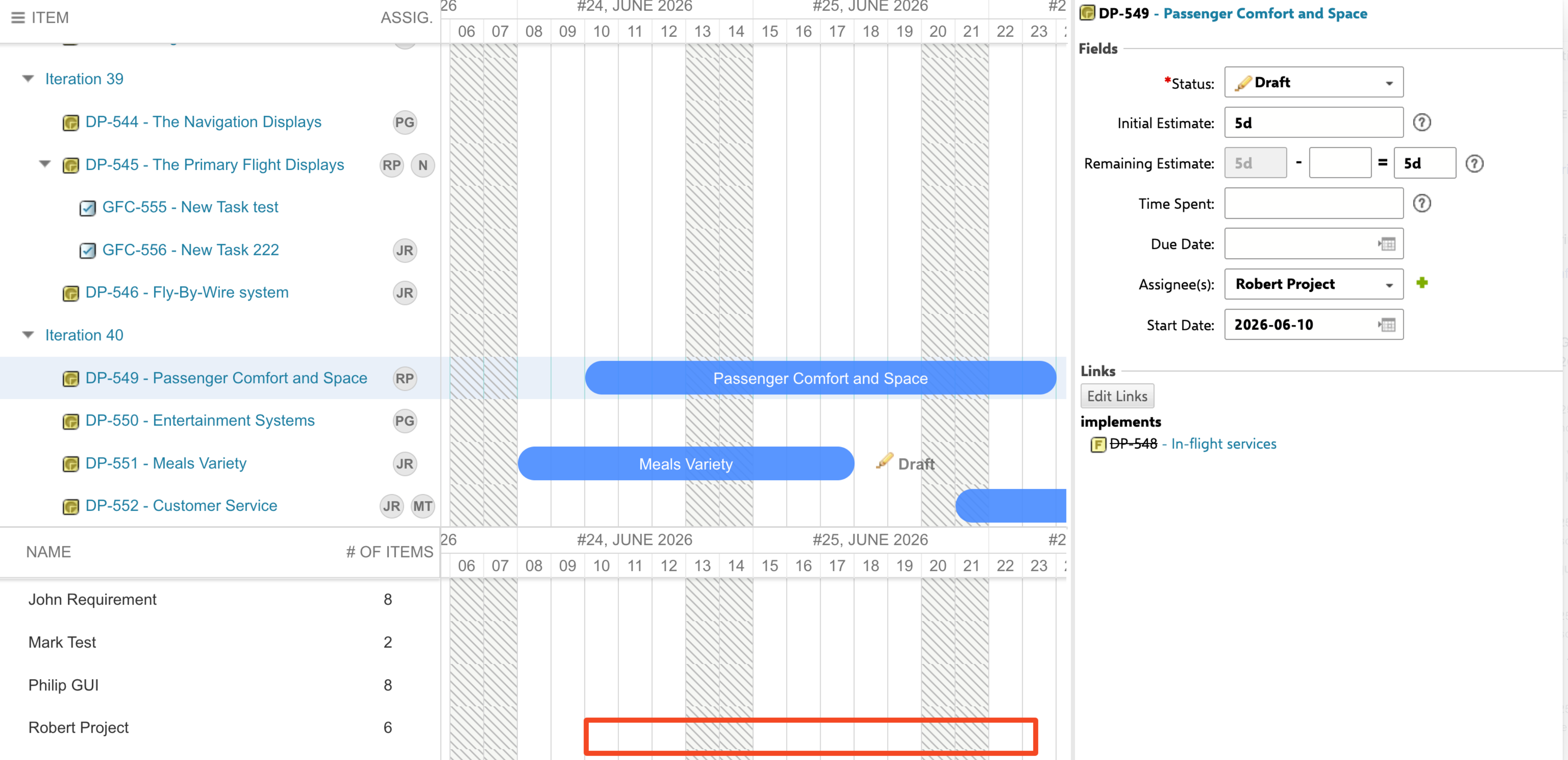
See that WIs from selected Iteration do not show any load capacity on the Resource view:
Cross-out task IDs or names
For visual clarity in case you want to see resolved tasks crossed out. Gantt Parameters > Advanced > Item Script
Cross out just ID
var style ="";
if(wi.getResolution()!=null){
   style = " style='text-decoration: line-through;' "
}
task.label = "<span "+style+" >" + task.getItemId()  + "</span> - " + task.getText()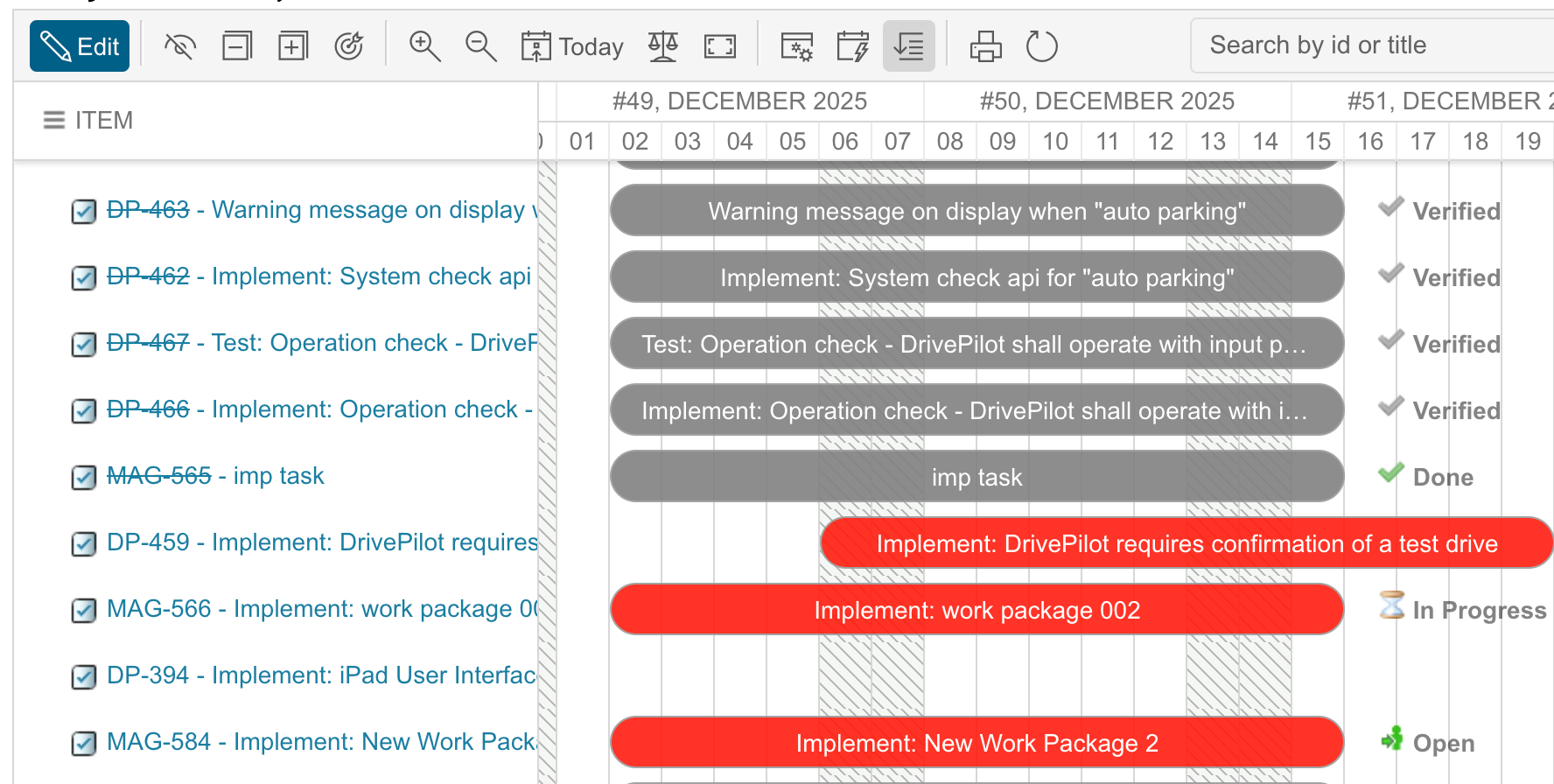
Cross out ID and Title
var style ="";
if(wi.getResolution()!=null){
   style = " style='text-decoration: line-through;' "
}
task.label = "<span "+style+" >" + task.getItemId() + task.getText() + "</span> - "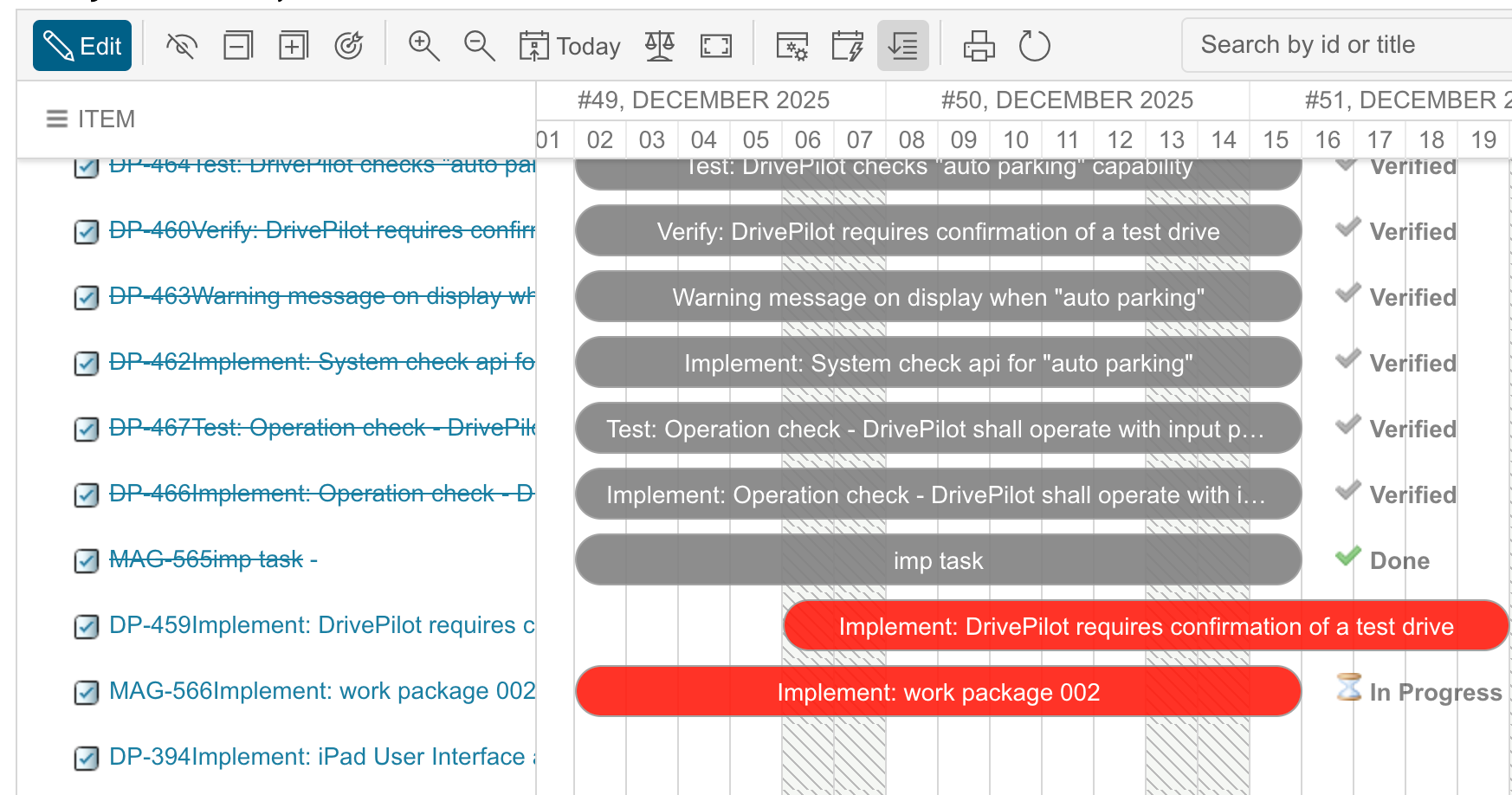
auto schedule ignored
group by priority
Was this article helpful?
That’s Great!
Thank you for your feedback
Sorry! We couldn't be helpful
Thank you for your feedback
Feedback sent
We appreciate your effort and will try to fix the article